Connecting To MQTT
We can either use an online tool or download a MQTT client application
Online Tool
I found this site to work the best
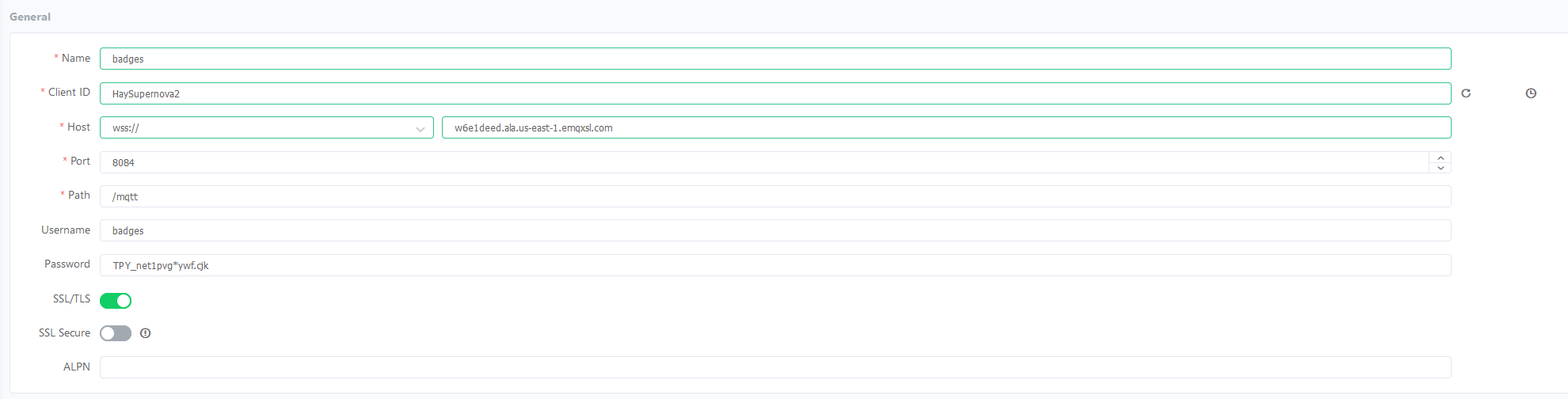
This tool only works with websockets so set to the web socket port of 8084. Use the rest of the credentials found in NVS.
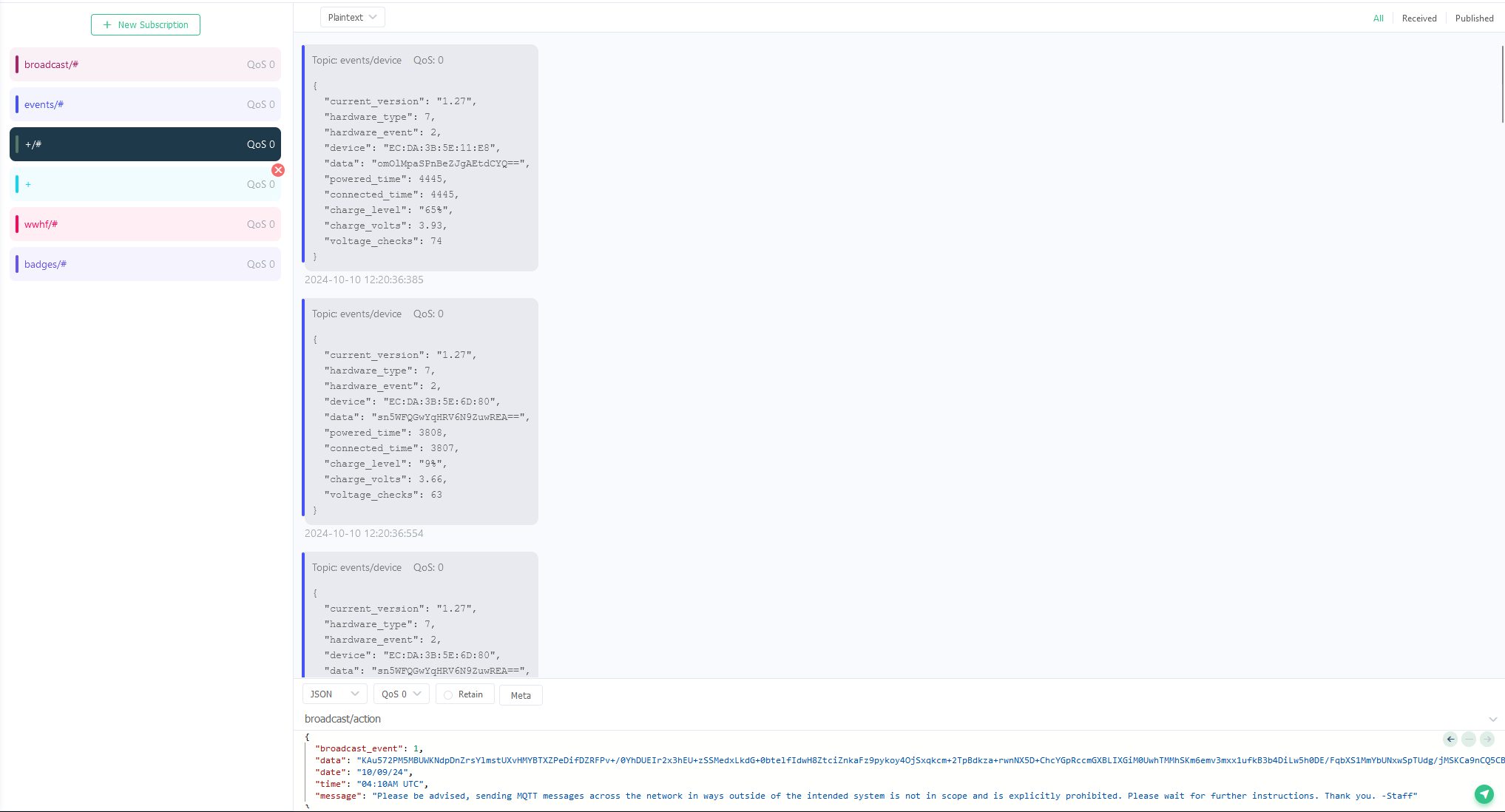
Subscribe to the topics listed, or use +/# to subscribe to all. We have to use this as # is not allowed
MQTT Client App
I will use MQTT Explorer as the desktop to see mqtt messages.
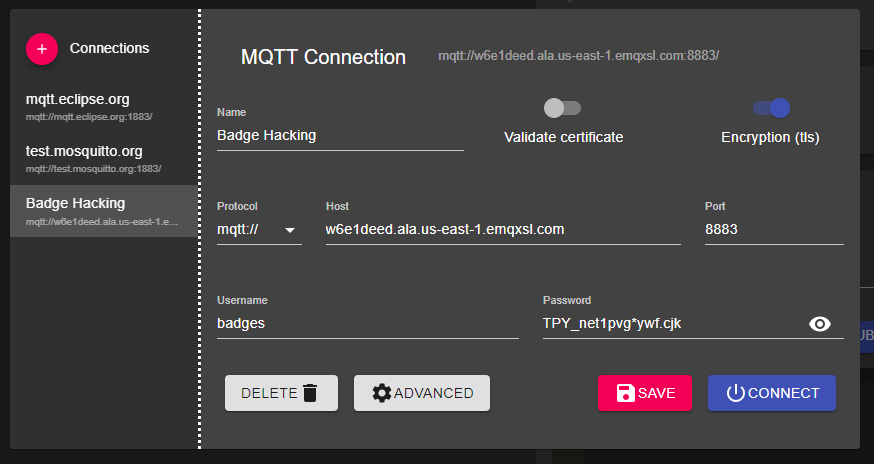
Use the settings found in NVS. Change the validate cert to false and use tls to true.
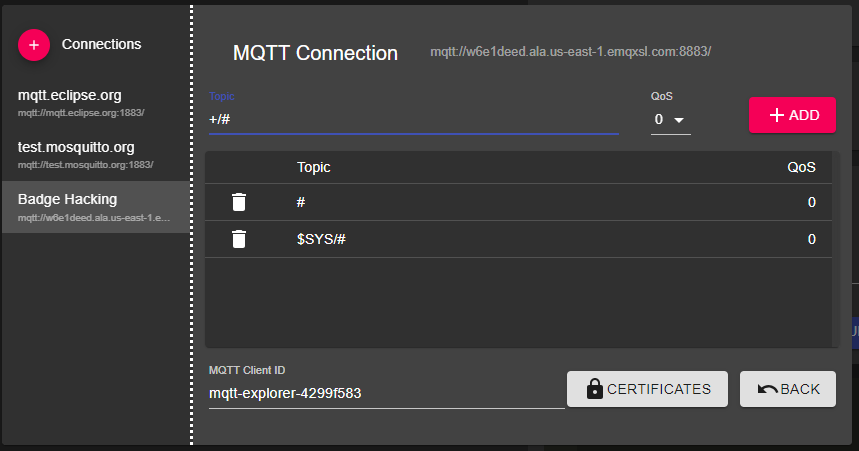
Add a subscription to the topics you want. I recommend +/# as it will let you see every message
Last modified: 17 February 2025